
Surfaces
Surfaces — the assistant where people already are
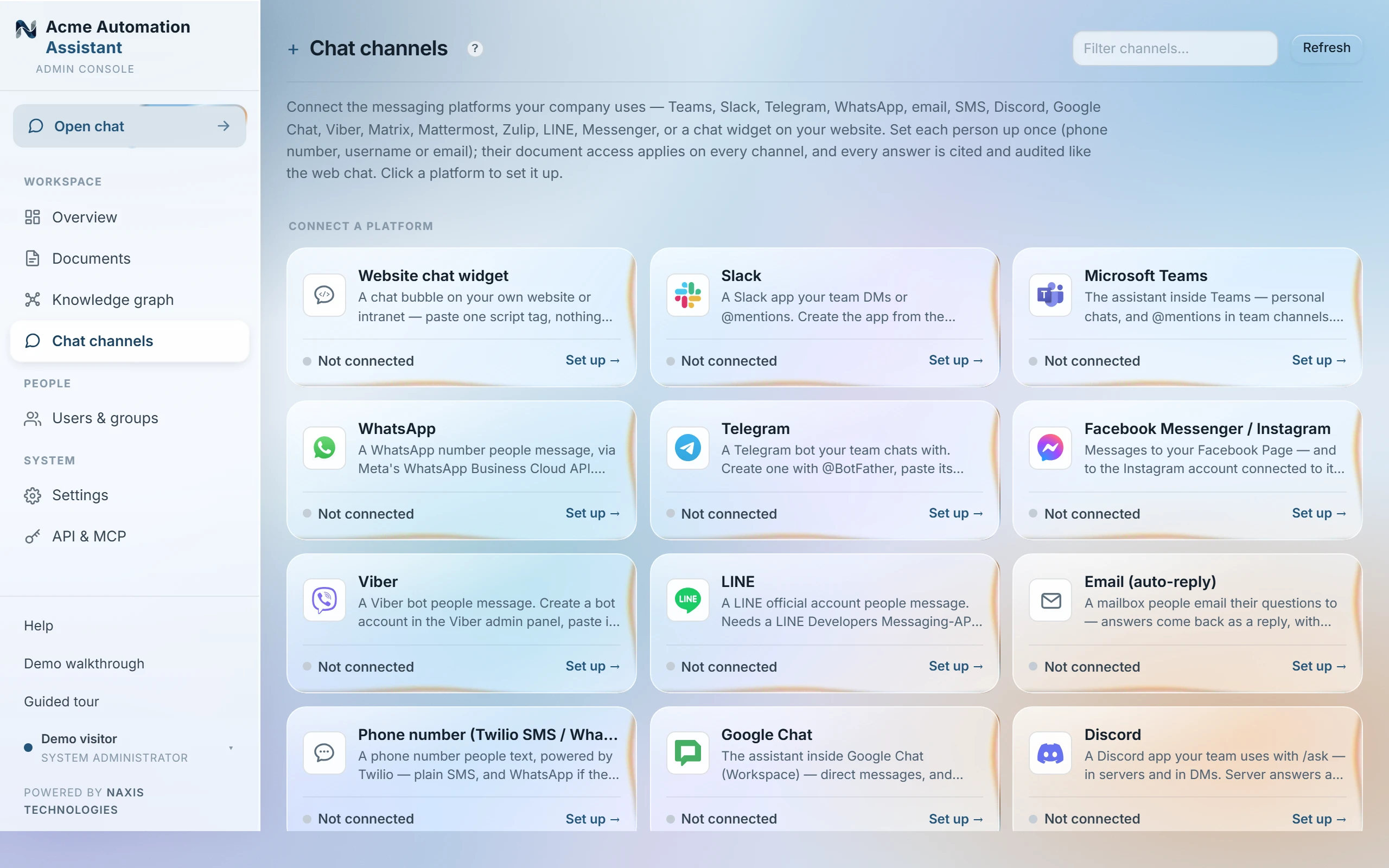
A channel puts the assistant inside a messaging tool: Microsoft Teams, Slack, Google Chat, Telegram, WhatsApp, Viber, a Twilio phone number (SMS), Discord, Facebook Messenger / Instagram, email, Matrix/Element, Mattermost, Zulip, LINE, or a chat widget on your own website. Answers work exactly like the web chat — grounded in the documents, cited, access-controlled and audited — only the doorway changes. Open a channel to see its setup checklist: credentials → Test → wiring → people.
Who is the person messaging? You decide — they do nothing
- Set them up yourself (recommended) — open the channel's people list and add each person with the identity you already know: their phone number (WhatsApp/SMS), Telegram or Discord username, work email (Slack, email). From their very first message they're recognised and get their own document access — no code, no setup on their side, and they don't even need to have activated their web account.
- Assign after first contact — on platforms where identities are private (Viber), anyone who messages shows up in the people list; assign them to their account with two clicks.
- Self-service (optional) — anyone signed in to the web chat can click “Link messaging apps”, get a one-time code like ABC-123 and send it to the bot.
- Guests — people who message without being set up. By default they get nothing; per channel you may open guest access to chosen groups (e.g. a public-KB group for a support widget).
Group chats
Telegram groups and Slack channels answer when the bot is @mentioned; per channel you choose whether those answers use the asker's own access (everyone present sees the answer), guest access only, or are off. Discord answers privately to the asker by default (ephemeral), so nothing leaks to the room. WhatsApp and Viber bots don't support group chats — that's a platform limitation, not a setting. Group answers are standalone (no conversation memory), and link codes are ignored in groups.
Adding a channel
- Open Surfaces and pick the platform — each has a short setup guide behind the ? next to the description.
- Paste the platform credentials (a bot token or similar).
- Press Test — it verifies the connection and, where needed, shows the webhook address to paste on the platform side (Setup button).
- Open the people list and add your team by phone number / username / email. Done — tell them to just message the bot.
What it looks like
For example: a colleague messages the Slack bot “What's our refund window for enterprise plans?” The reply reads like the web chat's — plain text with [1] markers, ending in one “Sources:” link into their own /chat (or the numbered source list, for a guest).
Everything said in a channel flows through that platform (Telegram, Meta, Slack, Viber, Twilio, Discord) on its way here — choose channels appropriate to your documents' sensitivity. Answers keep their [n] citation markers; for linked people the reply ends with one “Sources:” link into their own web chat (the conversation also lives there, wearing the platform's icon), where every citation opens the exact passage. Guests, and deployments with no public base URL set in Settings, get the source list written into the reply instead. /new starts a fresh conversation, /help explains the commands. More than about a dozen questions in a minute gets one slow-down notice, then silence until it passes; a voice note or sticker gets a “text only” reply in a DM, and is skipped in a group.
Last updated 22 Sep 2026