
Databases & CRM
Set up a SQL database (PostgreSQL, MySQL, SQL Server)
Connect a SQL database — PostgreSQL (including Supabase), MySQL / MariaDB, or Microsoft SQL Server — read with a read-only role. It works out the shape of your data from the schema itself: which tables are your customers, invoices and contracts, and how they relate. Each becomes a record the assistant reasons over alongside your documents — “what do we know about this client”, “how much have they been invoiced” — with the figures totalled exactly from the data. Nothing is ever written.
Before you start
- A read-only database role — one that can SELECT and nothing else — with access to the schema you want read; ask whoever runs the database to create one if it doesn't exist.
- Supabase: the project's connection string (Project → Settings → Database → Connection string) is the fastest way in — it carries host, port, database and credentials together.
- Any other database: the host, port, database name, and that role's username and password.
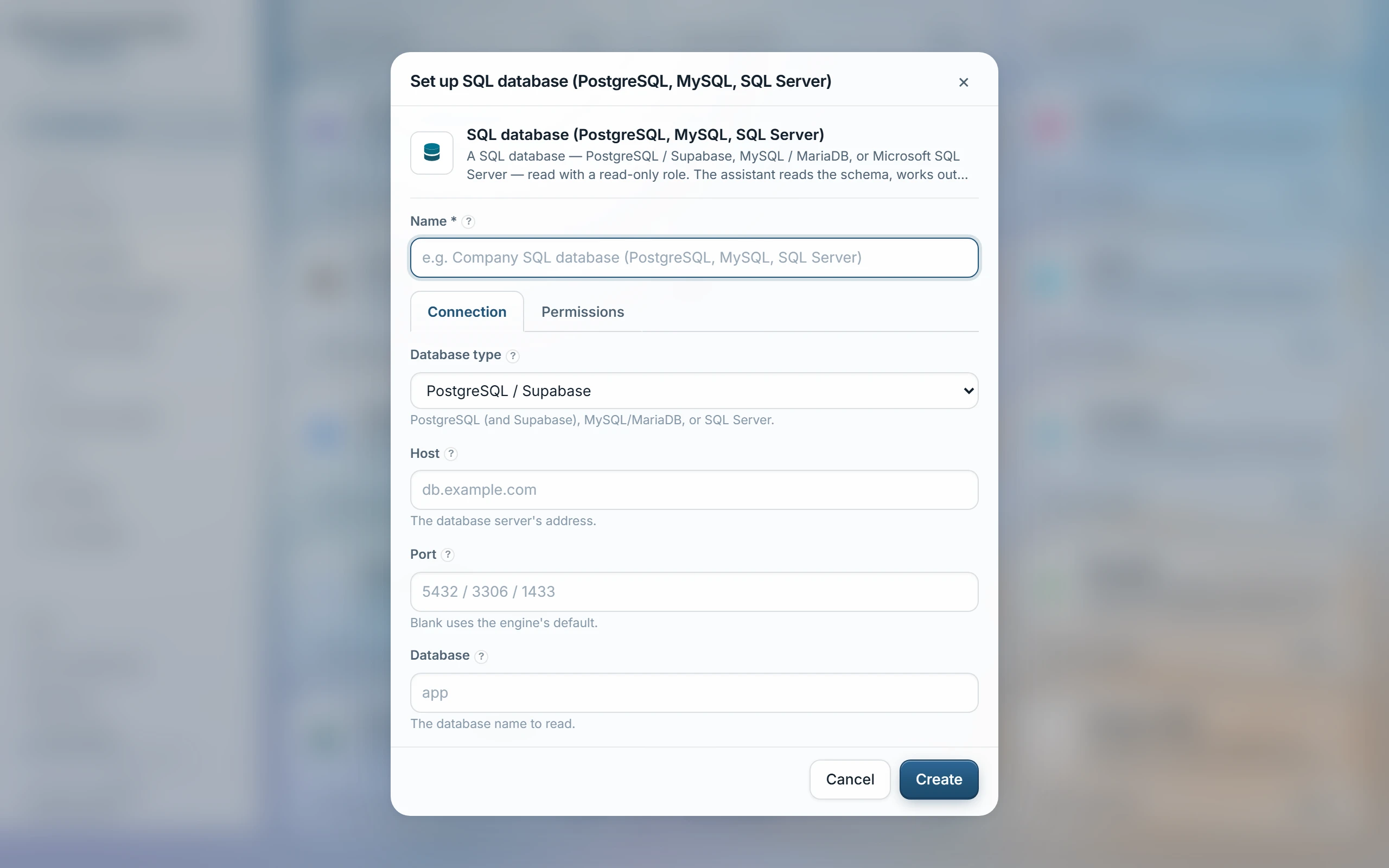
- Knowledge → SQL database → choose the database type: PostgreSQL (and Supabase), MySQL/MariaDB, or SQL Server — Amazon Redshift speaks the PostgreSQL dialect, so choose PostgreSQL for it.
- Supabase: paste the connection string into Connection string (advanced) and skip the fields below it.
- Any other database: fill in Host, Port (blank uses the engine's default — 5432 / 3306 / 1433), Database, Username and Password; set Schema only if your tables live outside public or dbo, and SSL mode to Require for anything hosted.
- Optionally narrow with Only these tables or Skip these tables — blank reads the whole schema.
- Choose access groups, Test, then Sync.
What comes in
- Every table as a searchable entry on its own — its columns, types and a few real sample values, plus what it links to — so a question finds “the table with the invoices” before any row is even read.
- Tables that look like registries (customers, contracts, invoices…) also become one record per row, showing its parent (“customer: the parent account”) and a summary of the child facts that reference it (“invoices: 12 · total amount 41,200 · latest 2026-08-14”).
- A table whose key spans more than one column stays a schema-level entry only — no per-row records.
| Schema | The named group of tables to read — blank means public on PostgreSQL, dbo on SQL Server; not used on MySQL/MariaDB, where the database is the schema. |
|---|---|
| SSL mode | Whether the connection is encrypted. Require suits anything hosted, including Supabase; Disable is for the same machine or a private network only. |
| Only these tables | An allow-list, one table per line — reads ONLY those tables; blank reads everything. |
| Skip these tables | The opposite — every table is read except the ones listed here. |
| Connection string (advanced) | PostgreSQL only — a full connection URL that overrides Host, Port, Database, Username and Password when set; the quickest way to paste Supabase's own string. |
Access
Visible only to the access groups chosen when the source is set up — a database has no per-row viewers of its own, so that list governs everything the source brings in.
Only SELECTs are ever issued, and the session itself is opened read-only with a query timeout on PostgreSQL and MySQL/MariaDB — SQL Server has no session-level read-only mode, so a read-only role is what makes the guarantee hold there. Sensitive columns — passwords, card numbers, salaries and the like — are never ingested, in records, samples or totals. A table past 5,000 rows syncs only its newest 5,000 as records, and a schema past 100 tables indexes only the first 100 alphabetically — both named when they happen.
Last updated 22 Sep 2026